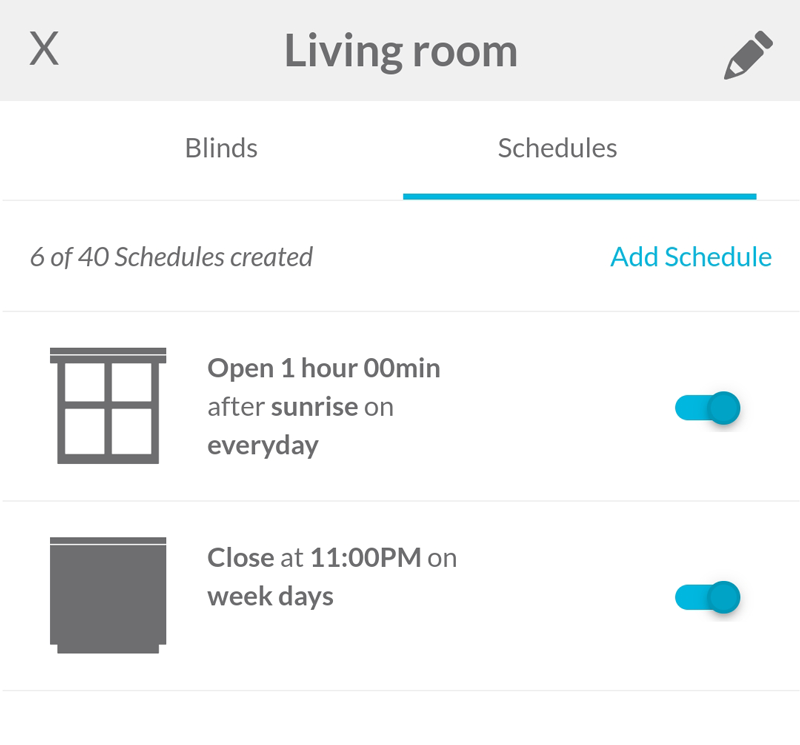
Adding a Schedule to a Room - For App Versions Before 5.3


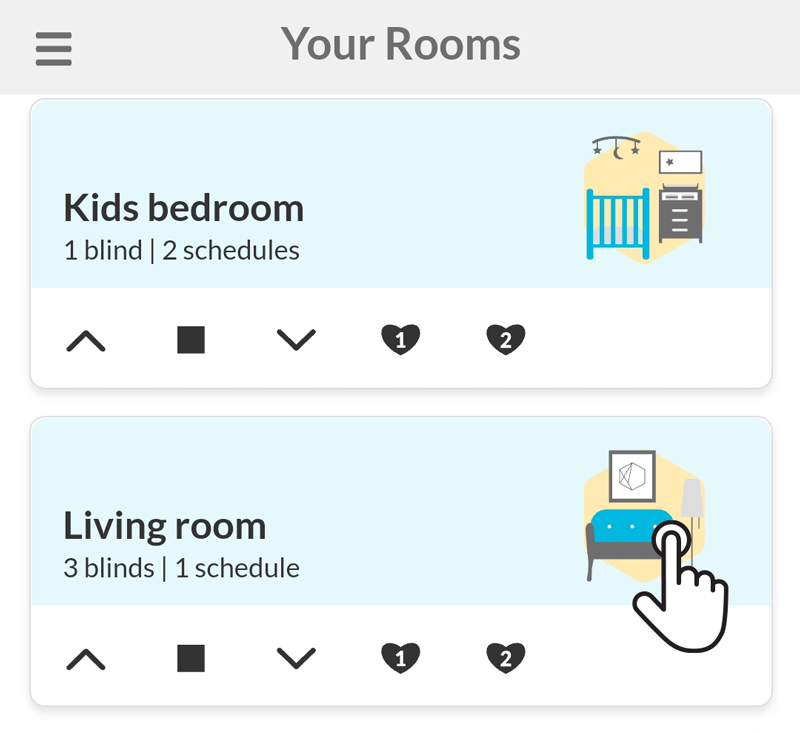
1 - Tap on the room
On Your Rooms page, tap on the room that you want to add a schedule.
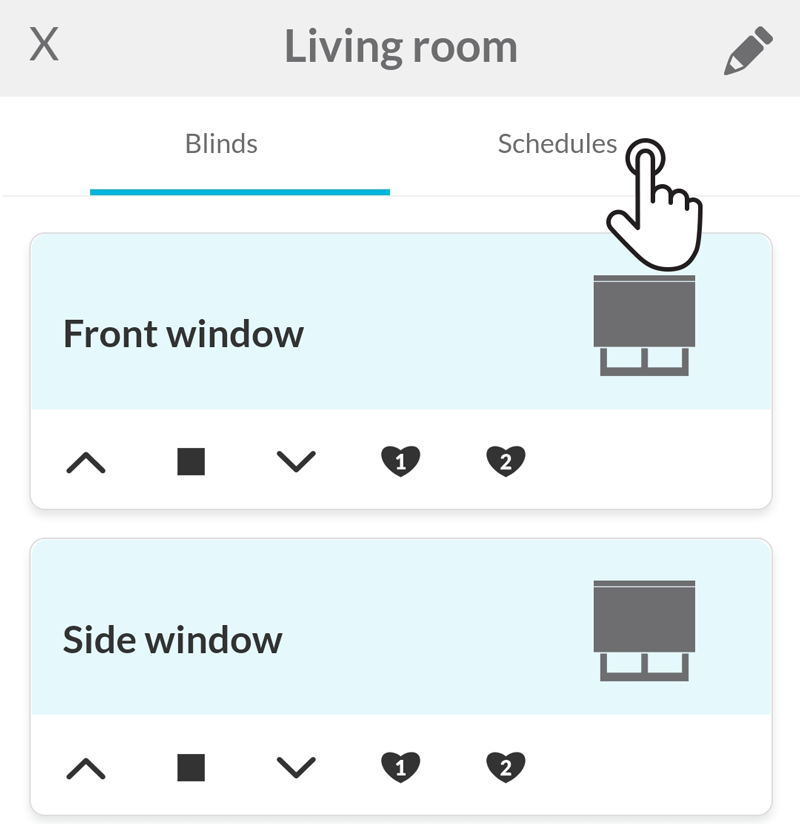
2 - Tap on the Schedule tab
In the top of the page, tap on the Schedules tab.
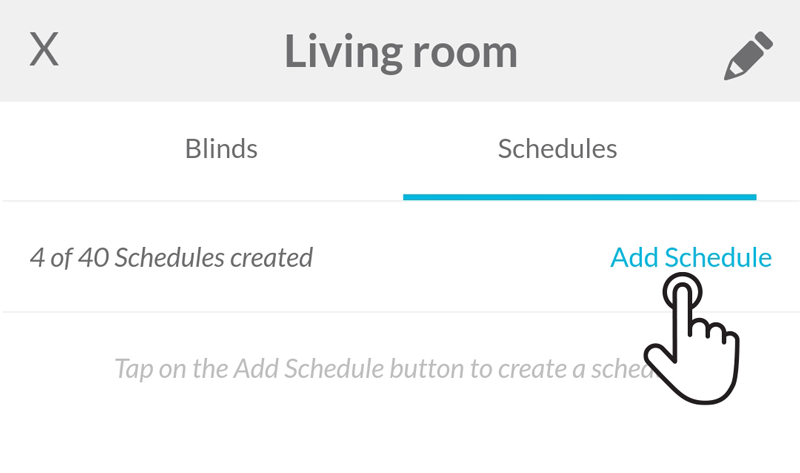
3 - Tap on Add Schedule
Right below the tab Schedules, tap on the blue button Add Schedule to create a new schedule.
4 - Set the schedule parameters and save
Choose the blind position, the time and select the days of the week the schedule will run.
To set a specific time schedule choose the on time button and then, enter the desired time of the day (e.g. 11:00PM).
To set a relative schedule, choose the at sunset or the at sunrise button. The app will show you the today’s sunset/sunrise time to the Smart Controller approximate geolocation. If you want to set the schedule for a certain amount of time before or after the sunset/sunrise time, enter the desired amount between 0:00h to 3:59h in the time field.
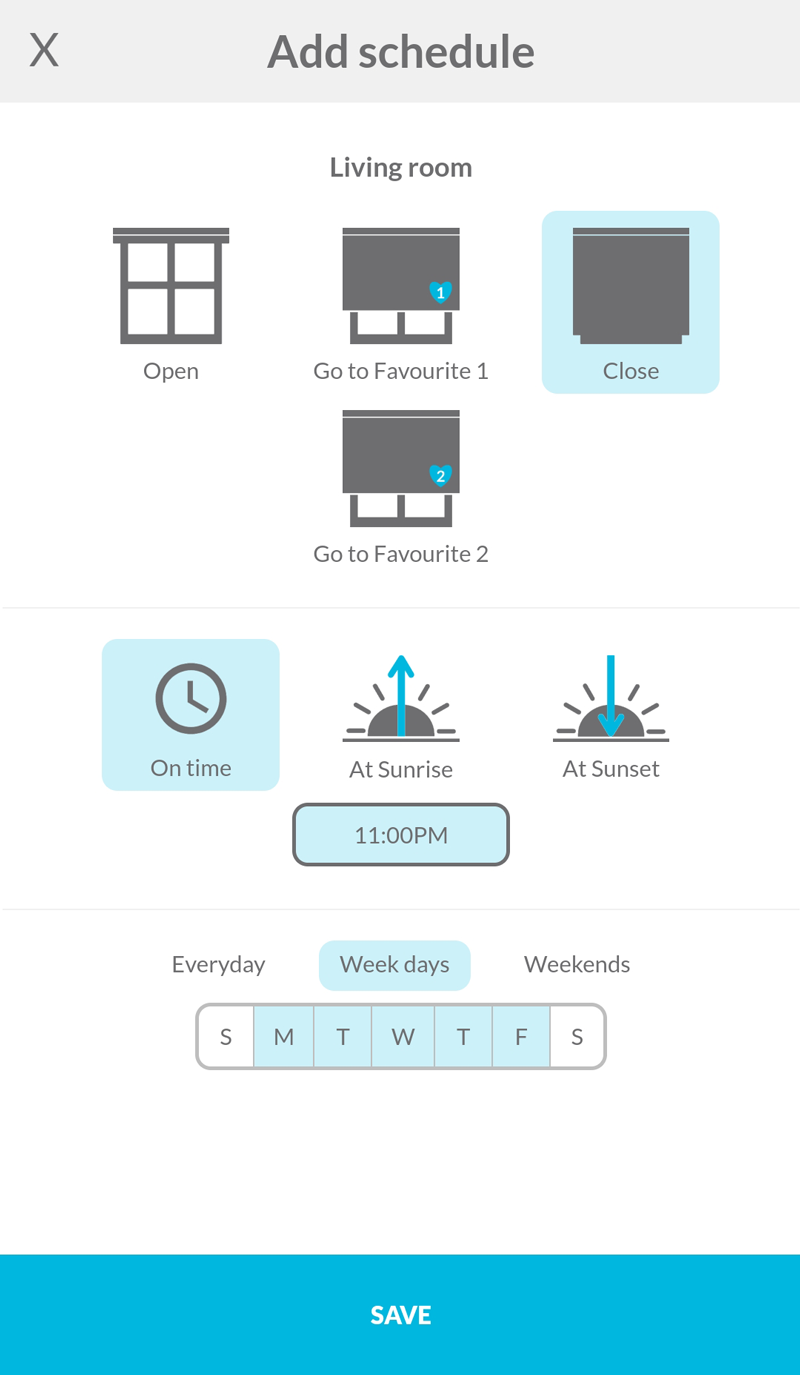
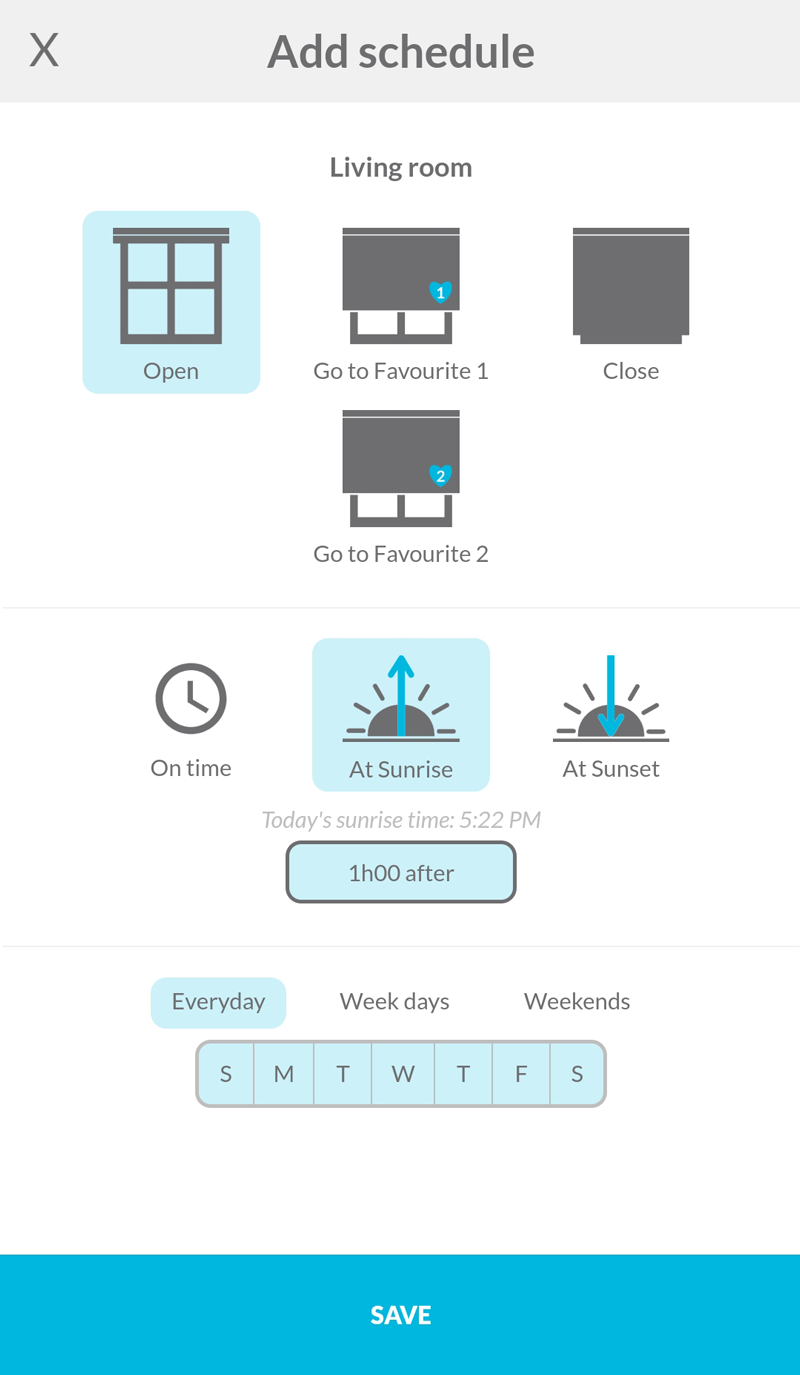
After tapping on the Save button, the schedule will be added to the room.