Schedules ran at the wrong time

For a schedule to send a command to a room's blinds, all the Smart Controllers in your account must be online and have Internet access at the scheduled time
 Double-check that the schedule time is set correctly to AM or PM.
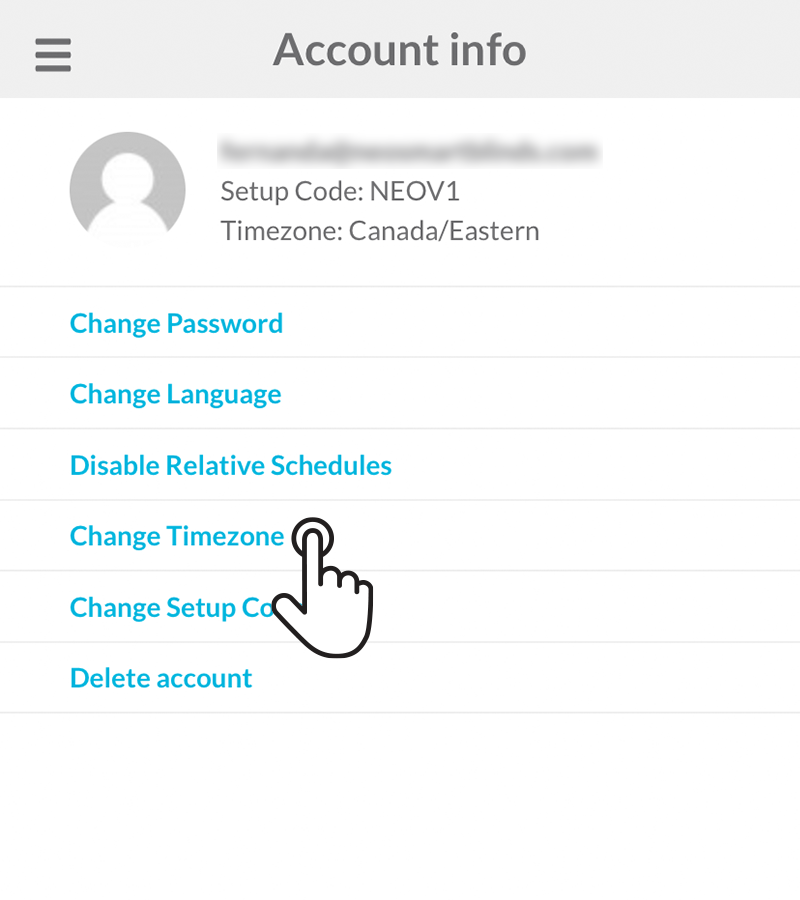
If your schedules are running at the wrong time, check that the account’s timezone matches the location where the Smart Controller is installed. Make sure you select a timezone that observes daylight saving time, if applicable.
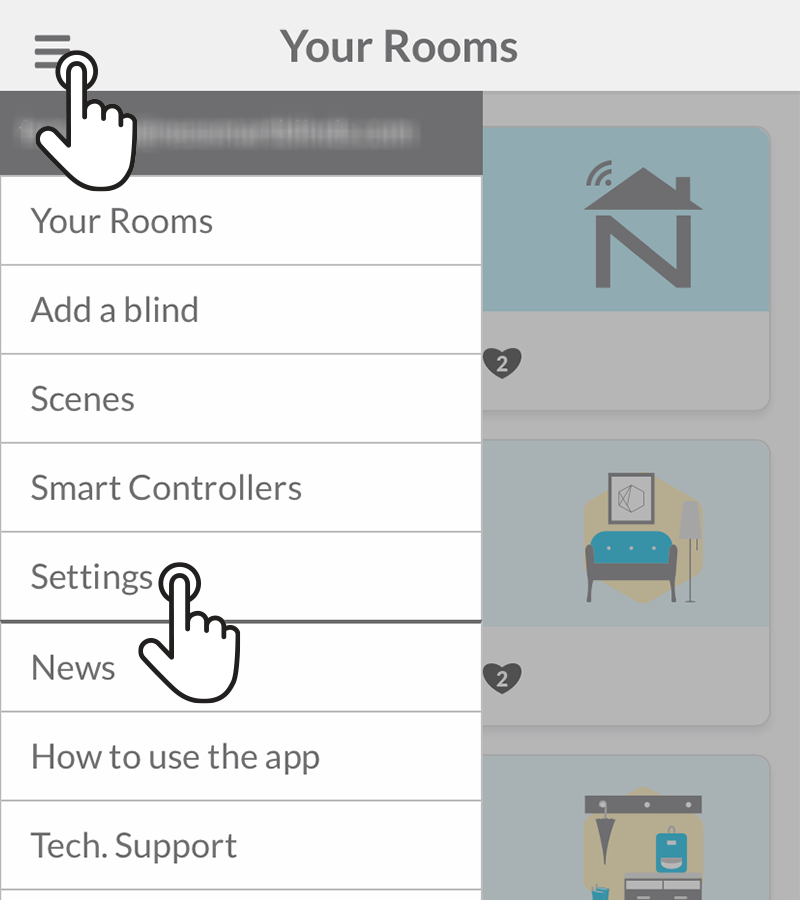
To update this setting, go to Menu> Settings > Change Timezone in the Neo Smart Blinds app and follow the instructions to select the correct timezone.